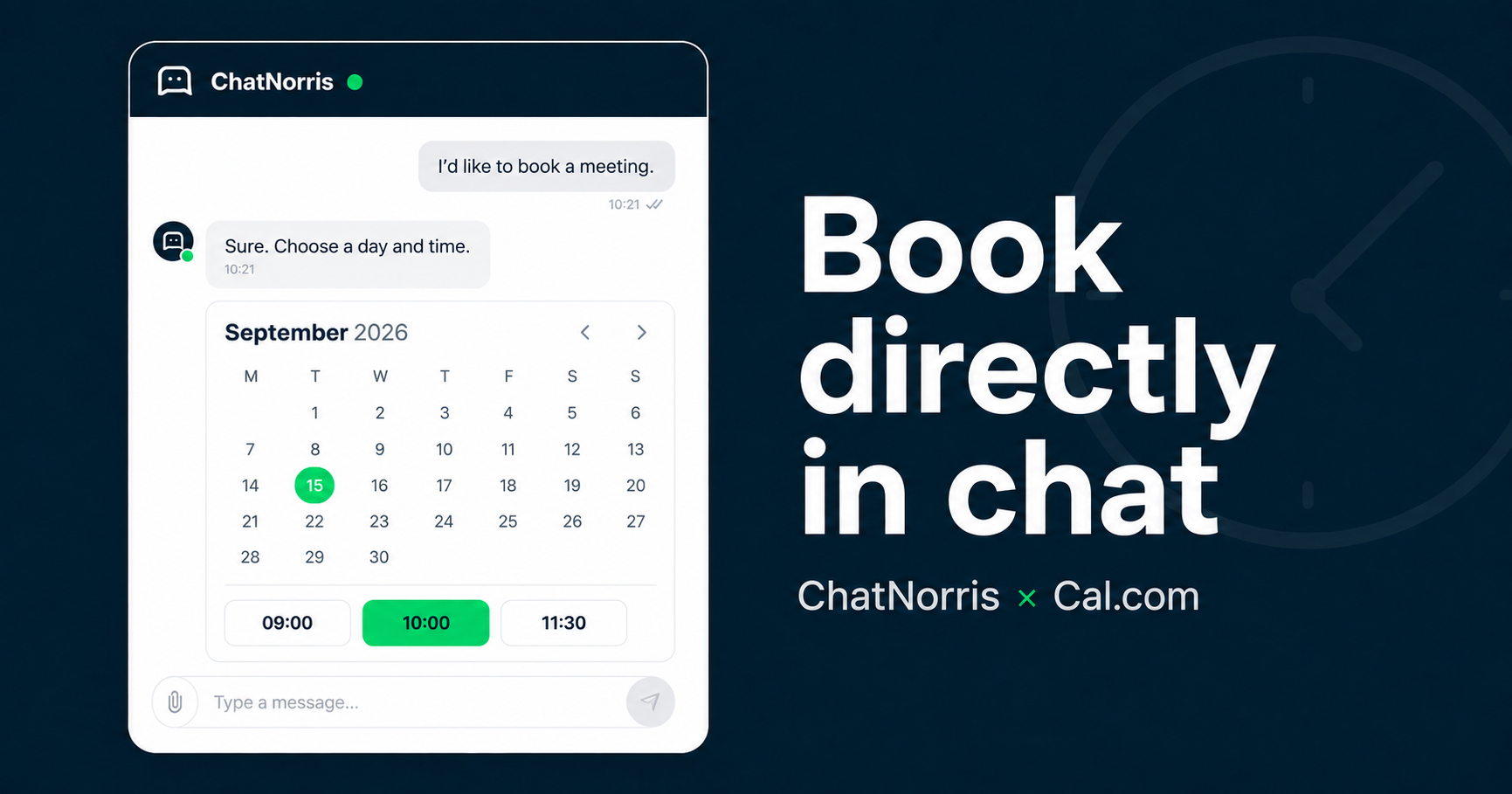
When someone asks for a meeting, the worst time to say “I’ll email you a link” is while they’re already talking to your agent. That extra hop — copy a URL, open a new tab, pick a slot with no conversation context — is where too many bookings quietly die.
ChatNorris now ships a Cal.com action: the agent spots scheduling intent and, on the web, mounts the calendar inside the same conversation. On WhatsApp, Instagram, Telegram, Messenger, or Email, it shares the event-type link so the visitor can book without losing the thread.
The problem it actually solves
Most companies already have Cal.com, Calendly, or something similar. The bottleneck isn’t “having a calendar.” It’s how people get there.
Without this action, the usual flow is:
- The visitor asks for a demo / call / consultation.
- The bot (or a human) pastes a link.
- They leave the chat, open another tab, and… sometimes come back. Sometimes they don’t.
With Cal.com in ChatNorris:
- The visitor asks to book.
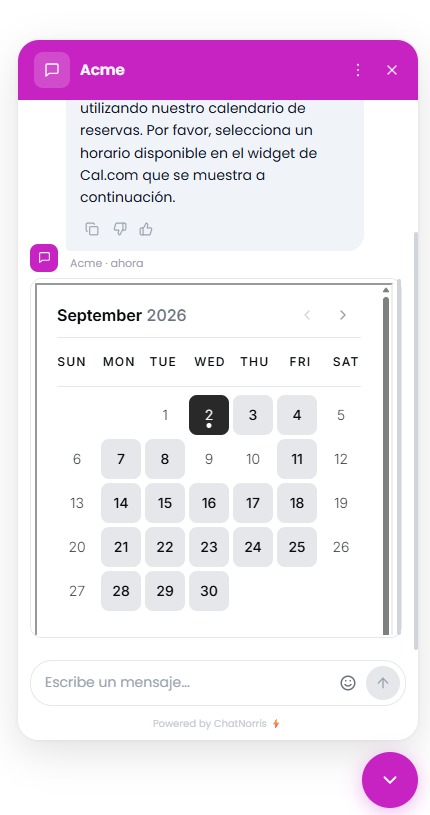
- In the web widget, they see days and time slots embedded in the chat (same panel, same branding).
- They confirm on Cal.com; your team gets the usual Cal.com notification.
- The agent can close with the success message you configured.
Fewer jumps. Fewer “I’ll do it later.” More bookings that actually finish.
How the integration works
There’s no OAuth dance and no API key to paste into a hub. You configure an agent action with the public Cal.com event-type link (cal.com/your-user/your-event) and you’re done.
From the agent’s Actions page you can set:
- When to use it — natural-language criteria (“when they ask for a demo”, “when they want to book with sales”, etc.).
- Event-type link —
cal.com/www.cal.comhosts only in this version. - Embed layout — month, week, or column (in a narrow chat we use a compact days + slots view so you don’t get a giant month grid).
- Theme — light, dark, or auto.
- Hide event-type details — useful when the embed already lives inside your widget and you don’t want duplicated title/description.
- Success and failure messages — the copy the visitor sees after booking (or if the embed fails).
Frequency is simple: the agent can offer the calendar whenever it applies, unless that conversation already completed a booking through this embed — so you don’t spam the same booker after they’ve booked.
Concrete benefits for your customers (and your team)
1. Book without leaving the chat
In the widget, visitors don’t have to “leave” for another tool. The Cal.com booker appears in the conversation flow: pick a slot, fill name/email if needed, confirm. That’s especially strong on product demos and landing pages, where every extra click costs conversions.
2. Prefill from confirmed contact data
If the visitor already confirmed a name or email in the conversation (Lead Form, passive capture, or another contact flow), the embed can prefill those fields. Less typing, fewer typos, less drop-off at the last step.
3. Omnichannel with the same brain
The same “when to book” criteria run on web and messaging. On channels without a rich UI, the agent doesn’t invent a calendar — it shares the absolute Cal.com link so the visitor can book from their phone. One action configured; behavior adapted to the channel.
4. No extra credits for the booking itself
The appointment happens on Cal.com. ChatNorris doesn’t charge a separate booking bucket — you still pay the normal AI turn for the conversation. Cal.com remains the system that notifies the event-type owner (as usual).
5. Playground before you go live
You can validate the embed and success messages in the agent Playground, with the same kind of experience visitors will see in the widget, before exposing it in production.
Cal.com vs Encuadrado (don’t mix them up)
ChatNorris already offers Encuadrado — Scheduling for clinics and businesses that run on that platform (live availability via API, explicit confirmation, its own rules).
Cal.com is a different path: ideal if your team already books demos, onboarding, or sales calls with public Cal.com event types and wants the calendar embedded in web chat. It doesn’t replace Encuadrado; it covers another stack and use case.
| Cal.com | Encuadrado | |
|---|---|---|
| Best for | Demos, sales, consulting on Cal.com | Clinical / Encuadrado scheduling |
| Connection | Public event-type link | Per-agent API key |
| In the widget | Inline Cal.com embed | Conversational + API flow |
| On WhatsApp and similar | Link to the event type | Verified conversational booking |
How to turn it on (short version)
- Open the agent workspace → Actions.
- Create / enable the Cal.com action.
- Paste the event-type link and tune layout, theme, and messages.
- Test in Playground by asking to book a meeting.
- Publish the agent and verify the widget on your site.
Availability may be pilot-gated per organization (enabled from Super Admin with no redeploy). If you don’t see it under Actions, contact us or check with your account team.
Who gets the most from it
- Sales / success teams that already live in Cal.com and lose demos to links that die in chat.
- Sites with a ChatNorris widget where the natural CTA is “book a call.”
- Omnichannel ops: same booking intent on web (embed) and WhatsApp (link), without maintaining two bots.
- Teams that want embedded scheduling without building OAuth or a custom calendar connector.
Bottom line
Cal.com in ChatNorris isn’t “another calendar button in the footer.” It’s the agent noticing someone wants to meet and opening the booker where the conversation already is — or handing over the right link on messaging. Less friction for visitors, more meetings that reach the finish line, and Cal.com stays the source of truth for your calendar.
You can browse the integrations catalog, check plans and pricing, or create an agent and try the action in Playground.
Set up Cal.com in minutes: embed in the widget, link on messaging, and visitors book without losing the thread.
Start for free