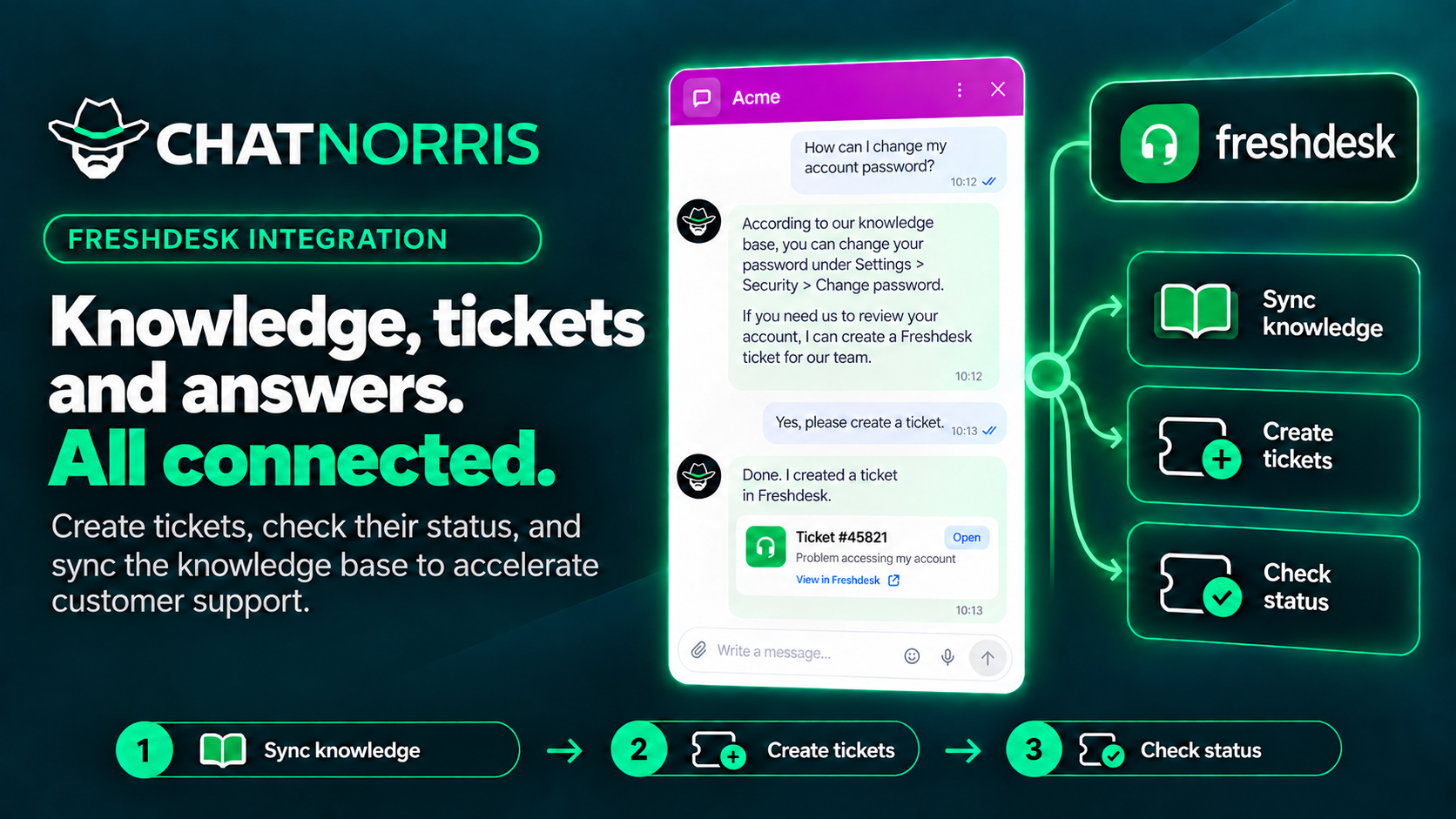
If your support team works with Freshdesk, you have already written many of the answers your customers need: they live in your knowledge base articles. Starting today, your ChatNorris agent can use them to solve cases on the spot, in your website widget, on WhatsApp, on Instagram or in any channel where the conversation happens. And when the answer isn't in your articles, the agent creates the ticket in Freshdesk and later tells the customer where it stands.
Solve first, ticket second
An agent that only takes tickets doesn't save anyone work: every question still ends up in your team's queue. That's why the integration starts with what matters most, your knowledge base.
When a customer writes "I can't change my password" or "how do I download my invoice?", the agent looks for the answer in your Freshdesk articles and gives it right in the conversation, with a link to the article when useful. Even when the customer asks straight away "I want to open a ticket", the agent first offers to help, because the answer is often already written. If the customer still prefers a ticket, or the answer didn't help, the agent creates it without further ado.
The result: fewer repeated tickets for your team and instant answers for your customers, at any hour.
Your Freshdesk knowledge base, synced with your agent
You connect Freshdesk once from your agent's Integrations hub and, in Knowledge base, choose what to import: your whole public knowledge base or only some categories and folders.
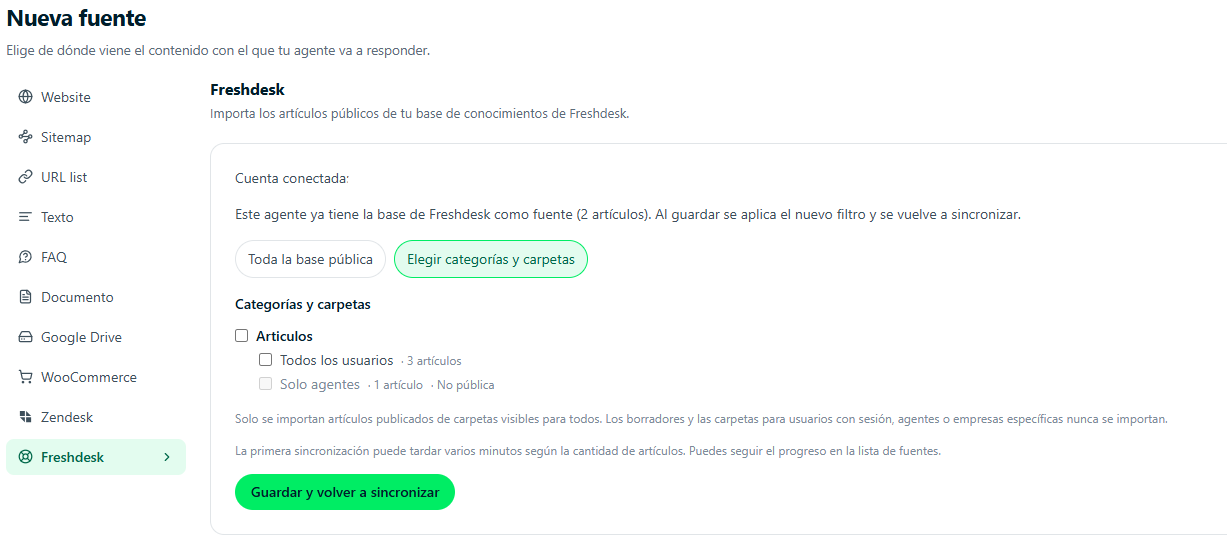
- Public content only. Published articles from folders visible to everyone are imported. Drafts and internal folders, or folders for agents or specific companies, never reach your agent.
- Always up to date. Later syncs only reprocess the articles that changed, and articles you delete in Freshdesk stop being used.
- Answers in the customer's language. Even if your knowledge base is in a single language, the agent understands the question and replies in the language it's written in.
- Links your customers can open. When it shares an article, the agent uses the public link from your Freshdesk portal.
When a person is needed: tickets in Freshdesk
If the case can't be solved with your articles, the agent can create the ticket in your Freshdesk:
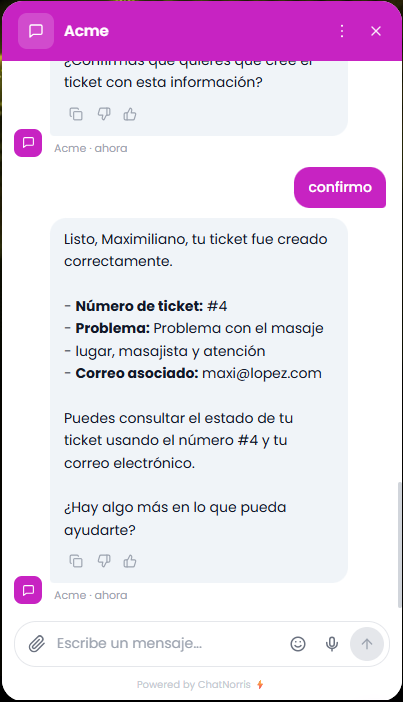
- It asks for the details it needs in the conversation: name, email and, if you enable it, phone, plus a summary of the problem.
- It shows a summary and asks for explicit confirmation. The ticket isn't created until the customer says yes.
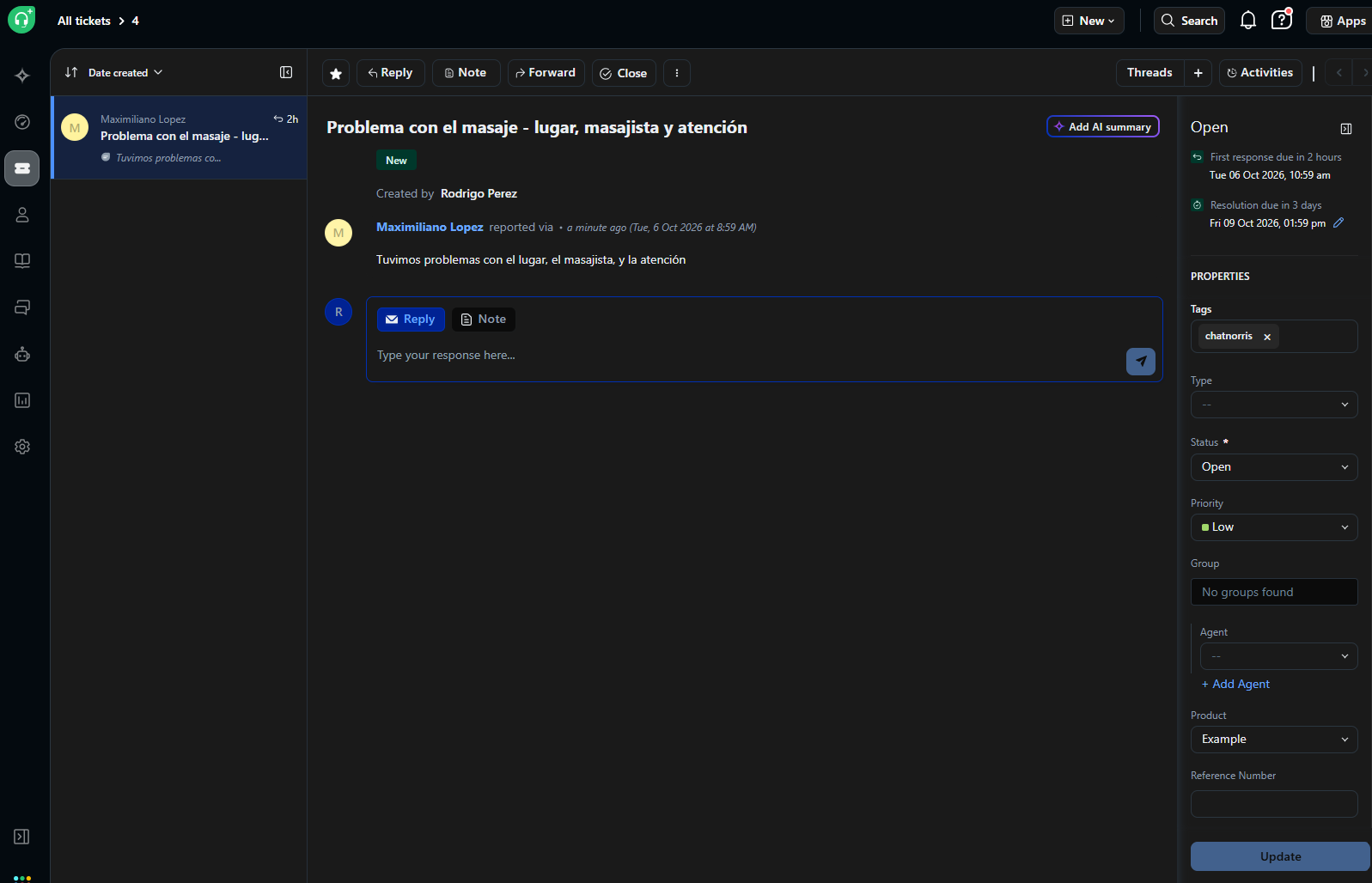
- It creates the ticket in Freshdesk with the priority and tags you set, and gives the customer the number.
Checking the status, securely
Days later, the customer can come back and ask "how's my ticket going?". The agent asks for the number and checks that the email (and phone, if you enable it) matches the ticket before sharing its status. It only answers about tickets created from ChatNorris, so nobody can look up other people's tickets by guessing numbers.
What you need to turn it on
- A Freshdesk account, with the knowledge base (Solutions) if you want the agent to answer with your articles.
- Your account subdomain and the API key of a Freshdesk agent, which you paste once in the Integrations hub. ChatNorris stores the key encrypted and validates it against Freshdesk when you connect.
Available on the Standard and Premium plans
The Freshdesk integration, as a knowledge base source and as a ticket Action, is available from the Standard plan. See the details on our pricing page.
Connect your Freshdesk, import your knowledge base and let your agent answer, creating tickets only when needed.
Start freeIn short
With the Freshdesk integration, your ChatNorris agent answers with your knowledge base articles, tries to solve before escalating and, when a person is needed, creates the ticket in Freshdesk and later reports its status securely. You can see the rest of our integrations or start free to set it up in your agent.