Until recently, “omnichannel AI agent” almost always meant web + WhatsApp + Instagram. The channel that still carries a huge share of B2B sales and serious support was missing: email.
ChatNorris can now handle conversations over Email, at the same level as the website widget, WhatsApp, Instagram, Telegram and Messenger. This is not “the bot fires off a mail.” It is a conversation channel. The customer writes to a mailbox, the agent replies with your knowledge and your tone, and your team sees the thread in the same inbox as every other channel.
Why email is still a high-impact channel
In many companies email is not a leftover: it is where quotes, complaints, order confirmations and “writing so we have a paper trail” still live. If your agent only exists in the website chat, those threads keep landing in personal inboxes, get lost, and get answered late.
With Email as a channel:
- The visitor writes to an address they already know (or that you put in your signature / site).
- The agent answers with the same knowledge base it uses on WhatsApp or the web.
- Your team can take over from Conversations without switching tools.
- Each successful send uses the plan’s email credit bucket (1 credit per email sent).
The high-leverage case: one agent per salesperson
This is where the channel stops being “another inbox” and becomes a commercial advantage.
Picture a three-person sales team. Instead of one generic bot for the whole company, you can create one agent per salesperson:
- Personalized email — each agent has its own mailbox (for example
ana@yourcompany.com/luis@yourcompany.comvia the inbound forwarding flow). - Own tone — system prompt, style and limits per person or per book of business.
- “Personal” WhatsApp per agent — the same pattern already exists with WhatsApp: a number or connection per agent when your plan allows it.
- Central control — even if each salesperson has their own outward face, every conversation (email, WhatsApp, web) shows up in Conversations, with history, handoff and context.
The customer feels they are talking to “Ana.” Operations sees an ordered, assignable, measurable thread.
That is not a generic chatbot glued to SMTP. It is presence per person, with a shared product brain (or not: each agent can have its own knowledge base) and unified operations.
How it fits with the rest of the channels
ChatNorris already unifies:
| Channel | Typical role |
|---|---|
| Web | Site visitors and capture |
| Fast conversation and high volume in LatAm | |
| Instagram / Messenger | Meta social and Pages |
| Telegram | Teams and communities that already live there |
| Quotes, B2B follow-up and formal support |
The same agent can mix several. Or you can split: a “Support” agent on web + email, and sales agents with email + WhatsApp each. The exact matrix by plan is on pricing: today Email is part of the Premium plan; WhatsApp, Instagram, and Messenger are available from Standard.
How you connect it (no IMAP, no Gmail passwords)
The ChatNorris Email channel works with selective forwarding to a unique inbound mailbox per agent. We do not ask for your password or turn ChatNorris into a separate mail client: Conversations is the inbox.
- Create / pick the agent.
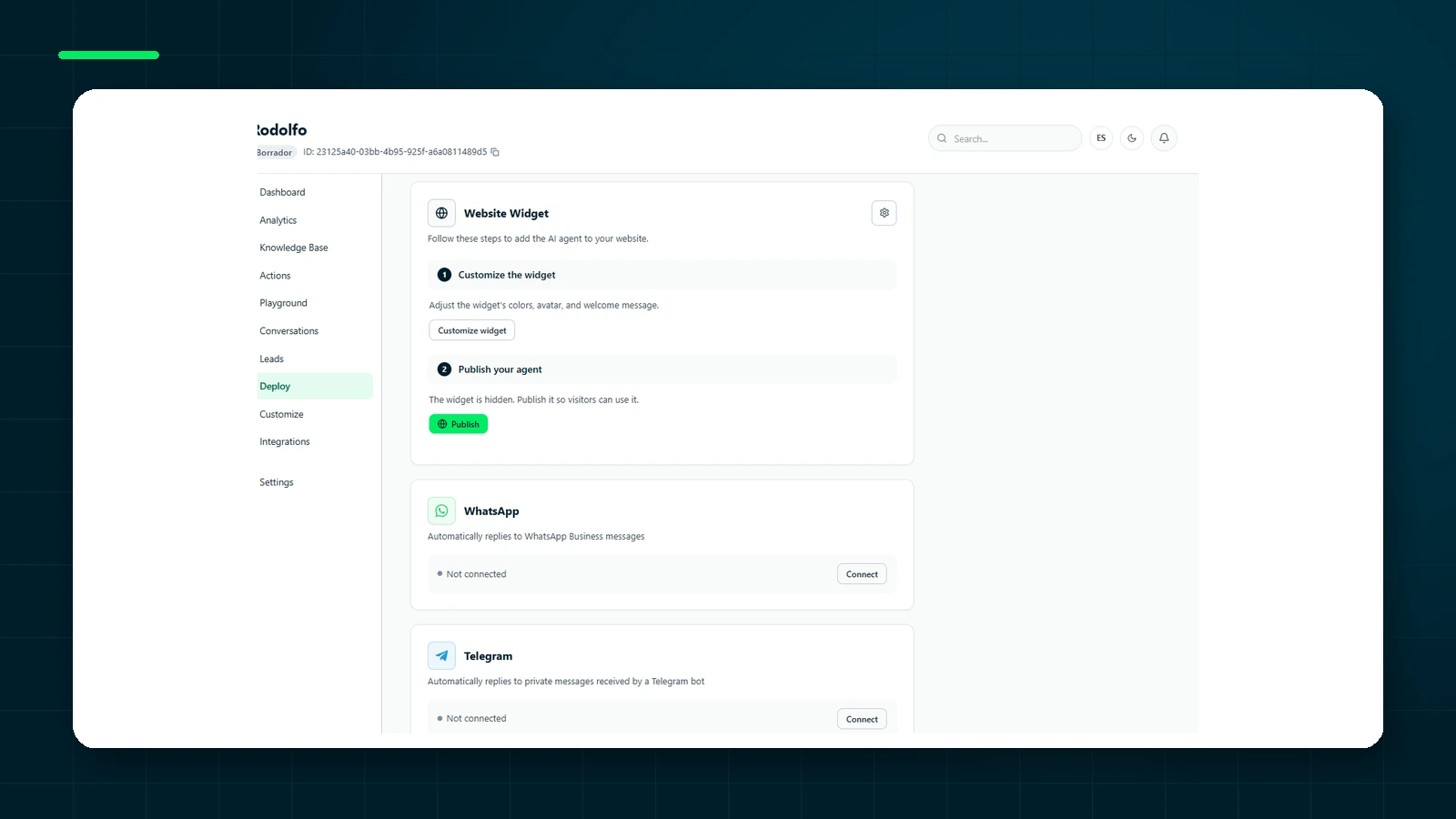
- Connect Email from Deploy.
- Set up the Gmail forward or Outlook redirect to the inbound address.
- Messages to that mailbox open or continue a thread; replies go out with Reply-To on your real mailbox.
Send Email vs Email channel (they are not the same)
Worth keeping straight:
- Email channel: the person writes you by email and you converse in a thread (like WhatsApp, but over email).
- Send Email action: during a conversation on web or messaging, the agent can send a configured email (to the visitor or internally).
Both use the plan’s email credit bucket. Playground does not send real mail.
What you can do today
If you are already on Premium (or evaluating the upgrade):
- Open the agent workspace → Deploy.
- Connect Email and set up forwarding.
- Write to that mailbox: you should see the thread in Conversations.
- If you sell with a team, copy the pattern: one agent per salesperson, each with their own email (and WhatsApp if it applies), own tone, and a central inbox.
Email, WhatsApp, Instagram, Telegram, Messenger and web — the same brain, or one agent per person, all in Conversations.
Start freeIn short
Email stops being the black hole of omnichannel. With ChatNorris you can give each salesperson (or each support line) an agent with its own email and tone, combine it with WhatsApp or other channels, and keep operating from one place. If you are comparing platforms, see also our integrations and the plan matrix.