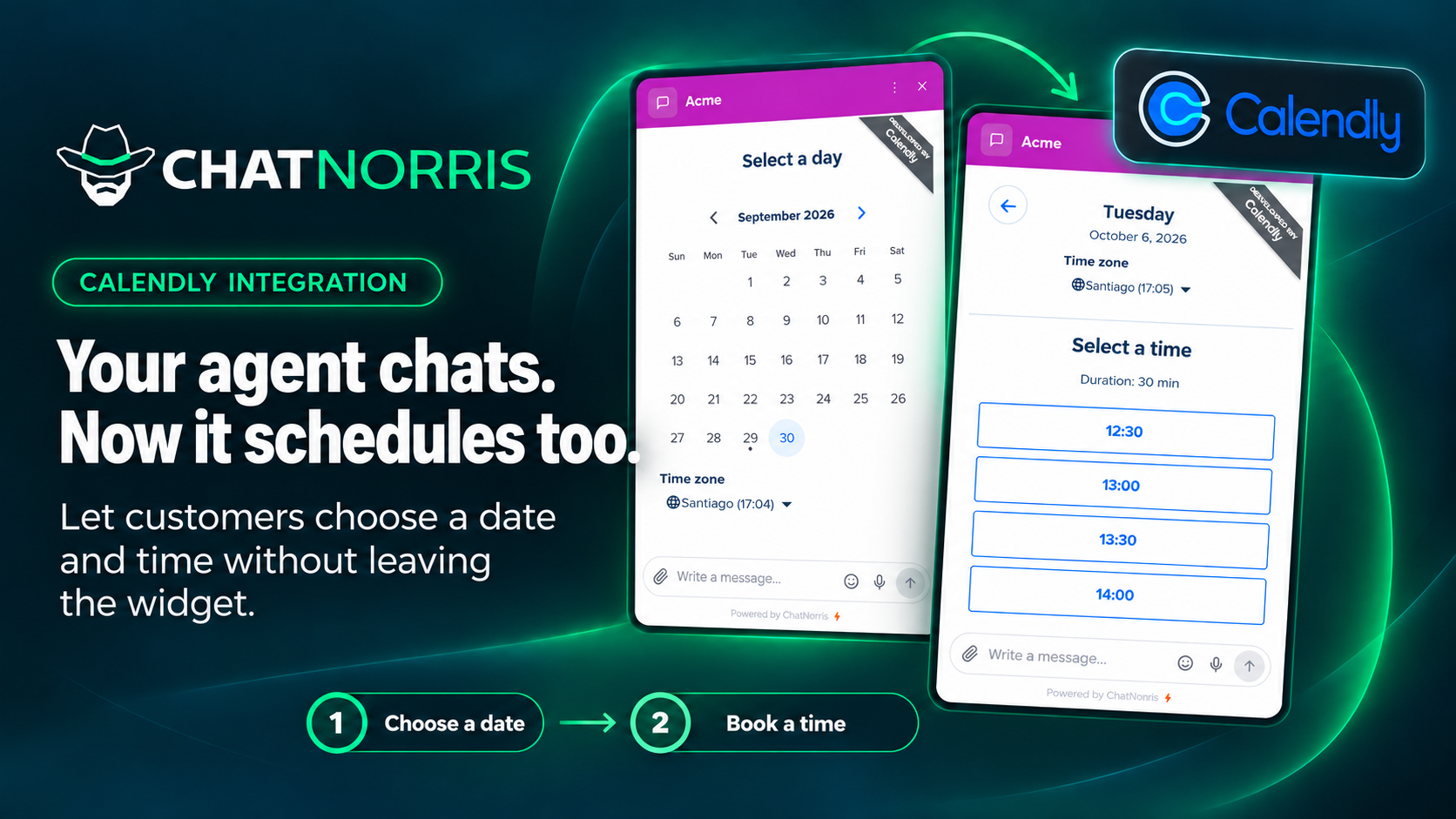
If your team books demos, sales calls, or consultations with Calendly, you already know where a lot of meetings get lost: in the jump between “I'd like to talk to someone” and opening the calendar link in another tab. The visitor was interested and chatting with your agent, but that extra step pulls them out of the conversation.
ChatNorris now ships a Calendly action: the agent notices the visitor wants to book and, on the web, shows your calendar inside the same conversation. On WhatsApp, Instagram, Telegram, Messenger, or Email, it shares your event type link so people can book from their phone without losing the thread.
What changes for the visitor
Without this action, the usual flow is:
- The visitor asks for a demo, a call, or an appointment.
- The agent (or a person) pastes the Calendly link.
- They leave the chat, open another tab, and sometimes come back. Sometimes they don't.
With Calendly in ChatNorris:
- The visitor asks to book.
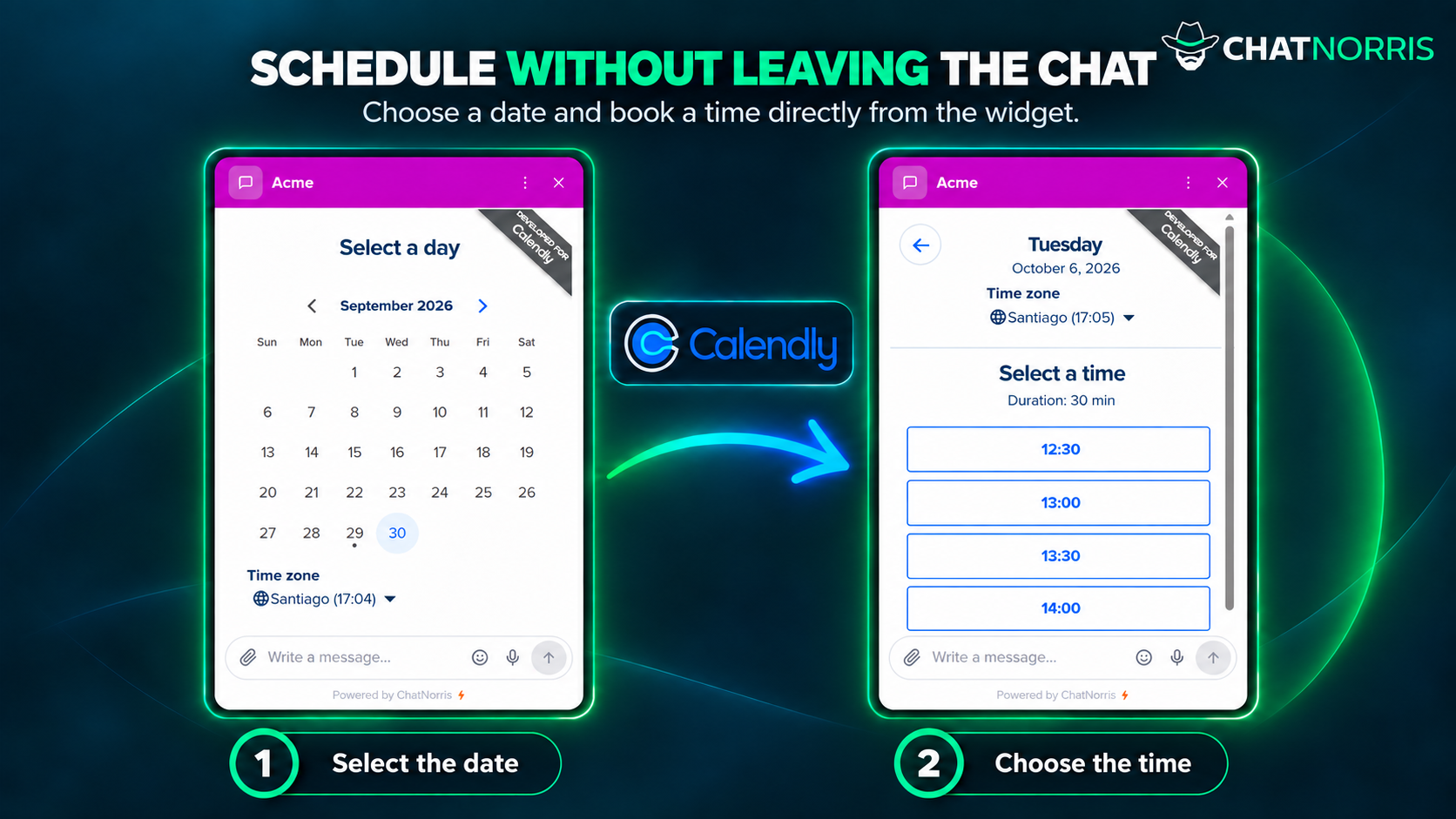
- In the web widget, they see your available days and times inside the chat, in your widget's colors.
- They pick a time and confirm the booking in Calendly. Your team gets the usual Calendly notification.
- The agent wraps up with the success message you set.
Fewer jumps, fewer “I'll do it later.” More meetings that actually get booked.
How to set it up
There's no account to connect and no API key to paste. You create an agent action with the public link to your event type (calendly.com/your-user/your-event) and you're done. Since it doesn't use the Calendly API, it works with any Calendly plan, including the free one.
From the agent's Actions page you can set:
- When to use it: natural-language criteria (“when they ask for a demo”, “when they want to talk to sales”, etc.).
- Event type link:
calendly.comlinks only. - Use widget colors: the calendar picks up your widget's primary color so it feels built in.
- Hide event details and Calendly's cookie banner, so the calendar takes up less space inside the chat.
- Success and error messages: what the visitor sees after booking, or if the calendar doesn't load.
The agent offers the calendar whenever it applies, unless a booking was already completed in that conversation. That way it doesn't show the calendar again to someone who already booked.
Concrete benefits
1. Book without leaving the chat
In the widget, visitors don't have to go to another tool: the calendar appears in the conversation, they pick a time and confirm. On landing pages and product pages, where every extra click costs conversions, this makes a real difference.
2. Prefilled details
If the visitor already confirmed their name or email in the conversation (through a Lead Form or by typing them in the chat), the calendar prefills them. Less typing and less drop-off at the last step.
3. The same agent on every channel
The “when to book” criteria are the same on the web and on messaging. On channels that can't show a calendar, the agent doesn't make up time slots: it shares the Calendly link so the visitor can book from their phone. One action, adapted to each channel.
4. No extra credits for the booking
The booking happens in Calendly. ChatNorris doesn't charge anything extra for scheduling: just the AI turn of the conversation, like any other reply. Calendly still sends the confirmations and reminders.
5. Try it before you publish
You can test the calendar and messages in the agent's Playground, with the same experience visitors will get in the widget.
Calendly, Cal.com, or Encuadrado?
ChatNorris has three scheduling actions, so you can pick the one your team already uses:
| Calendly | Cal.com | Encuadrado | |
|---|---|---|---|
| Best for | Demos, sales, and consultations on Calendly | Demos, sales, and consultations on Cal.com | Clinical scheduling on Encuadrado |
| Connection | Public event type link | Public event type link | Per-agent API key |
| In the widget | Calendly calendar in the chat | Cal.com calendar in the chat | Conversational booking |
| On WhatsApp and similar | Link to the event type | Link to the event type | Verified conversational booking |
| ChatNorris plan | Standard and Premium | All plans | Standard and Premium |
If you set up more than one scheduling action on the same agent, it shows only one calendar per reply: the one that best matches what the visitor asked for. To help it choose, describe clearly in “When to use it” what kind of meeting each one covers (for example, “product demos” in one and “technical support” in the other).
How to turn it on
- Open the agent workspace → Actions.
- Create the Calendly action.
- Paste your event type link and adjust colors and messages.
- Test it in Playground by asking for a meeting.
- Publish the agent and check the widget on your site.
The Calendly action is included in the Standard and Premium plans.
Who gets the most out of it
- Sales and customer success teams that already book with Calendly and lose meetings to links left behind in the chat.
- Sites with the ChatNorris widget where the natural next step is “book a call.”
- Businesses serving customers on the web and WhatsApp that want the same booking flow on both, without running two bots.
- Freelancers and small teams on free Calendly who want scheduling inside the chat without complex integrations.
Bottom line
Calendly in ChatNorris isn't one more button in your footer. It's your agent noticing someone wants to meet and showing the calendar where the conversation already is, or sending the right link on messaging. Less friction for visitors, more booked meetings, and Calendly stays the home of your calendar.
You can browse the integrations catalog, check plans and pricing, or create an agent and try the action in Playground.
Set up Calendly in minutes: calendar in the widget, link on messaging, and visitors book without losing the thread.
Start for free