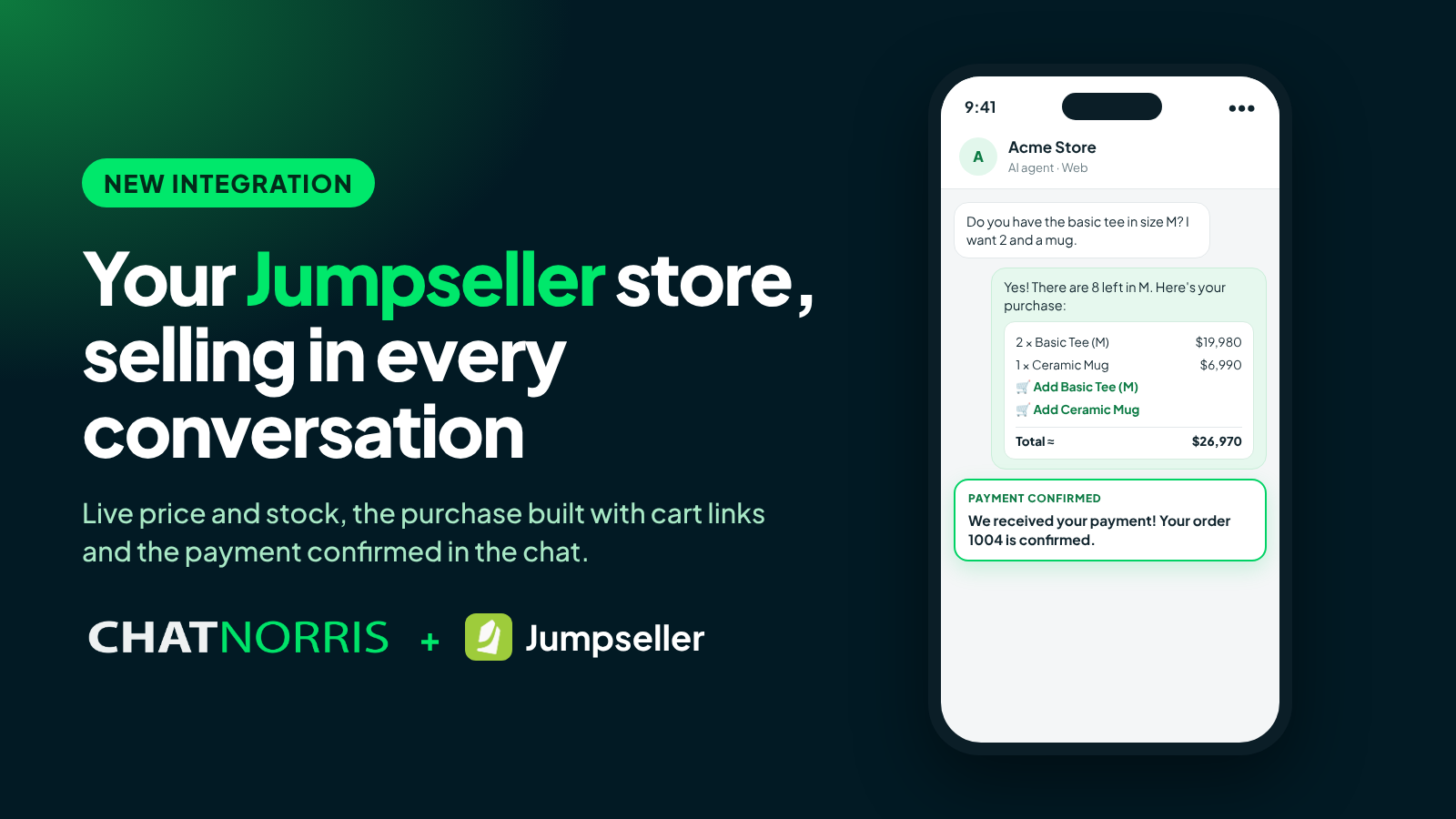
In an online store, most questions sound alike: "Do you have this in size M?", "How much is it?", "Where's my order?". Answering them on time is the difference between a sale and an empty cart, and they almost always arrive when nobody on the team is looking.
Starting today, if your store runs on Jumpseller, your ChatNorris agent answers them with your store's real data, and helps close the sale too.
Live price and stock, always up to date
The agent searches your store for the product the visitor asks about, by name or SKU, with its variants (size, color or whatever you use), and answers the price and stock at that moment. If a variant is out of stock, it says so and offers the ones still available.
If the visitor asks in general ("what do you sell?"), the agent tells them what's in the store. And if you sync your catalog as a knowledge source, it also answers about descriptions, materials or features of each product, with the link to its page.
The purchase, built in the chat
When the visitor decides, the agent builds the list with quantities, each product's price and a reference total. Once they confirm, it sends one link per product that adds it straight to your store's cart with the requested quantity. The visitor opens them, reviews their cart and pays in your Jumpseller checkout, where shipping is calculated as usual.
ChatNorris doesn't charge or create orders: the sale and the payment happen in your store, with your payment methods.
The payment, confirmed in the same conversation
If the visitor left their email in the chat and pays with that same email, the agent confirms the payment in the same conversation as soon as Jumpseller reports it: "We received your payment! Your order is confirmed." If the agent was handling the conversation, it's marked as resolved, and your team sees what was bought in an internal note.
Create your agent, paste your store's login and token and start answering with real price and stock in minutes.
Start for free"Where's my order?", solved without exposing data
The visitor gives their order number and the agent tells them the payment and shipping status, with the tracking number if there is one. First, it verifies the order is theirs with the purchase email. If the order doesn't exist or the detail doesn't match, the reply is the same, so nobody can guess other people's orders, and after several failed attempts the lookup is locked in that conversation.
How to connect it
- In your Jumpseller store admin, open Account › Preferences and copy the API login and token.
- In ChatNorris, go to your agent's Integrations, choose Jumpseller and paste both keys.
- Create the Jumpseller action and turn on what you need: products, price and stock, order lookup, build a purchase and payment confirmation. Each capability is a switch.
The step-by-step is in the Jumpseller guide.
Availability
The Jumpseller integration is included in the Standard and Premium plans and works on the web widget, WhatsApp, Instagram, Messenger, Telegram, Email and the API. Each reply that checks your store live adds 0.5 AI credit.
In short
Your agent knows your store as well as you do: it answers with real price and stock, leaves the purchase ready in the cart, confirms the payment and tells customers where each order is. All inside the conversation, at any hour.