Google reviews are the first thing people see when they find your business on Maps. Replying matters: it shows someone is listening, keeps your profile looking active and, when a review is negative, it is your only chance to tell your side to everyone who reads it next.
The problem is time. A good reply takes a few minutes, and with several locations or a steady flow of customers, reviews pile up unanswered for weeks.
Starting today, your ChatNorris agent also replies to Google reviews.
How it works
- Connect your locations. In your agent's Deploy page, choose Google Reviews, connect the Google account that manages your Business Profile and pick the locations it will handle.
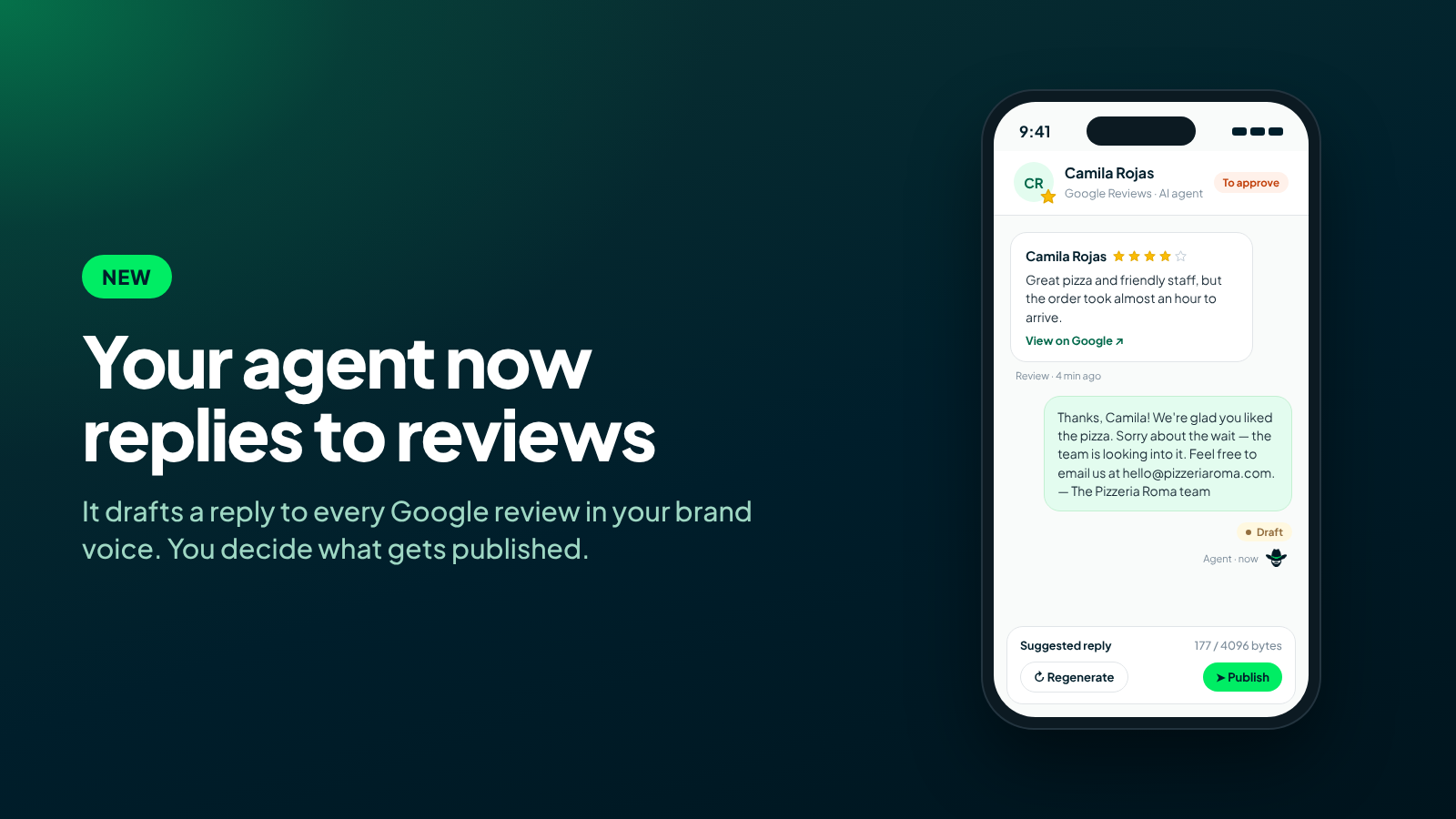
- Every new review comes into Conversations. With its stars, its text and a link to see it on Google.
- The agent drafts the reply. With the tone and signature you set, in the same language as the review.
- You decide what gets published. By default, every reply is a draft you can review, edit and publish with one click.
Automatic publishing, with rules
If you would rather not approve them one by one, turn on automatic publishing by rules: the agent only publishes replies that meet your conditions, for example reviews with 4 stars or more. Everything else still waits for your approval.
You also set words that always go through you. If a review or reply mentions any of them (lawyer, food poisoning, scam), it waits for a person even with five stars. Some cases never publish automatically: when the agent asks for human review, or when the review mentions health, safety, legal matters or discrimination.
What the agent never does in public
A review reply is public and tied to your brand, so the channel has fixed rules that cannot be turned off:
- It never offers discounts, refunds or compensation in public.
- It never admits legal liability or makes up facts about your business.
- It never mentions personal data or visit details that are not in the review.
- It never asks the reviewer to change or delete the review, which is also against Google's policies.
What it can offer is up to you: apologize, invite the customer to continue privately (your email or WhatsApp), or say the team will look into it. It only does so when the review has a complaint or something to improve. For a positive review, it simply says thank you.
Create your agent, connect your Google Business Profile and review the first draft in minutes.
Start for freeThe reviews you never answered
When you connect a location only new reviews come in. If you have a backlog of unanswered reviews, you can import them: pick a range (for example, the last 90 days), see how many there are and the maximum credits it will use, and the agent drafts a reply for each one.
What people say about you, in numbers
In Analytics › Reviews you see your average rating and star distribution, how many reviews you answered and how fast, sentiment, the topics customers mention most and a breakdown by location. It is a quick way to spot a change at one location before it shows in the rating.
Availability
Google Reviews is available on the Standard (1 location) and Premium (up to 50 locations) plans, and you can request extra locations as an add-on. You need a verified Google Business Profile. See the step-by-step channel guide (in Spanish). Each draft uses AI credits, like any other agent reply.
In short
Replying to reviews no longer has to be the task that always waits until tomorrow. Your agent drafts every reply in your brand's voice, never promises what it should not in public, and you choose how much control you want: approve each one, or let the ones that meet your rules publish on their own.