If your company runs on Odoo as your CRM, ERP, or help desk, you no longer have to choose between answering fast in chat and keeping that data current in the system you already rely on. ChatNorris now connects directly to Odoo: your AI agent can log leads into your CRM, check on an order's status, and create (or check on) support tickets — without anyone on your team copying a single field between platforms by hand.
And while we're at it: ChatNorris doesn't integrate with Odoo. Odoo integrates with ChatNorris.
Why this actually saves you work
When your website chat and your ERP live in separate worlds, your team pays for it: a salesperson manually re-typing into the CRM a lead that already wrote their name and interest in the chat; a support agent opening two tabs to check whether a ticket already exists before creating a duplicate; a customer asking "where's my order?" while someone has to go dig it up in Odoo and the conversation just sits there waiting. Every one of those steps is a place where time — or the lead itself — gets lost.
The Odoo integration removes that friction at the three points where it hurts the most: lead capture, order status, and support.
How to connect your Odoo account to ChatNorris
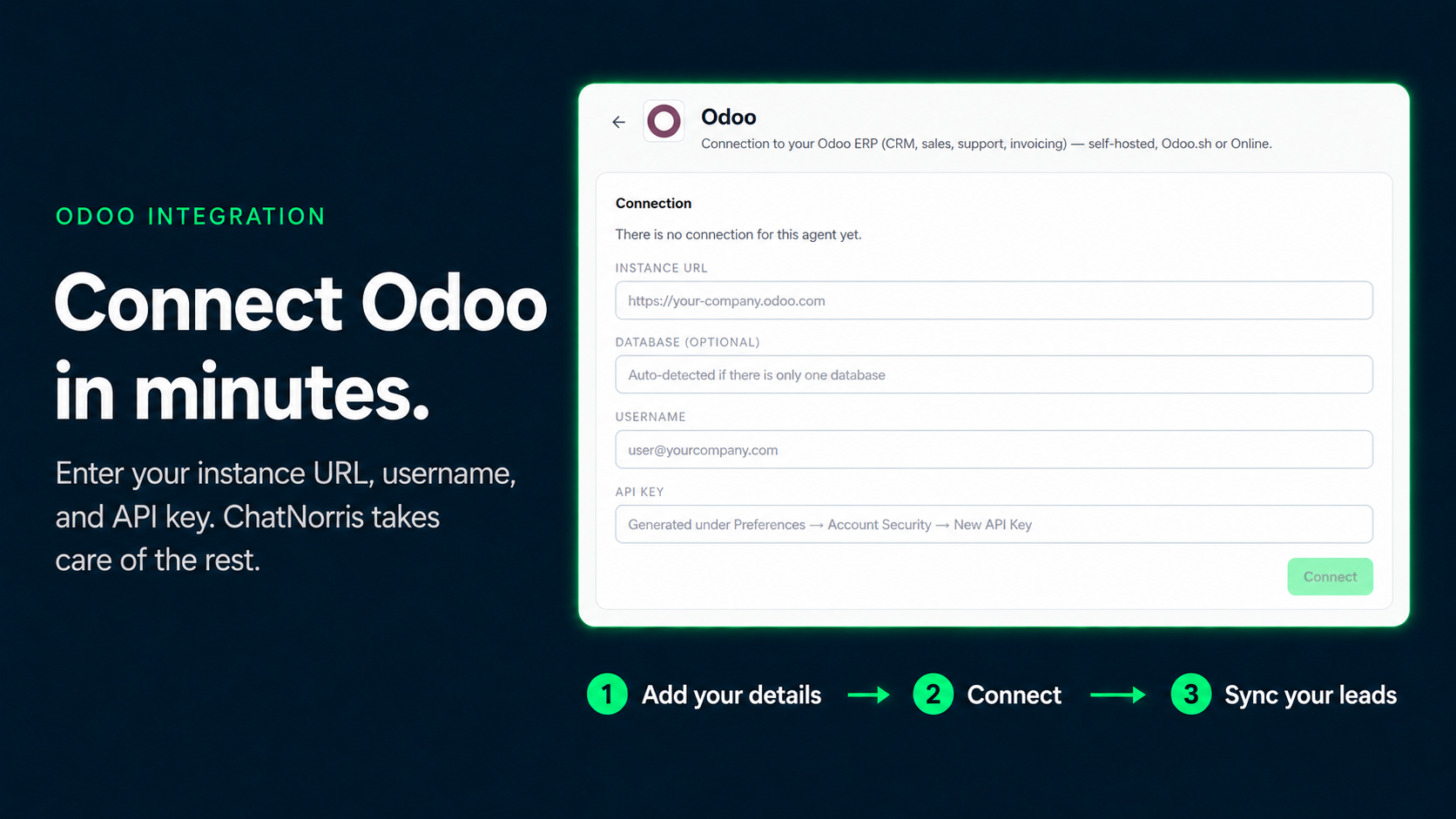
No OAuth dance, no developer needed on Odoo's side. It's the same flow you already use for the rest of your tools from your agent's Integrations hub:
- Generate an API key from your own Odoo instance (Settings → your user → Account Security).
- Paste it, along with your instance URL, into ChatNorris.
- Done — your agent can now sync leads, look up orders, and manage tickets with zero extra manual steps.
ChatNorris validates the connection against your real Odoo instance the moment you save it, so you know right away whether the key and URL are correct before turning anything on.
Sync leads to your CRM without retyping a thing
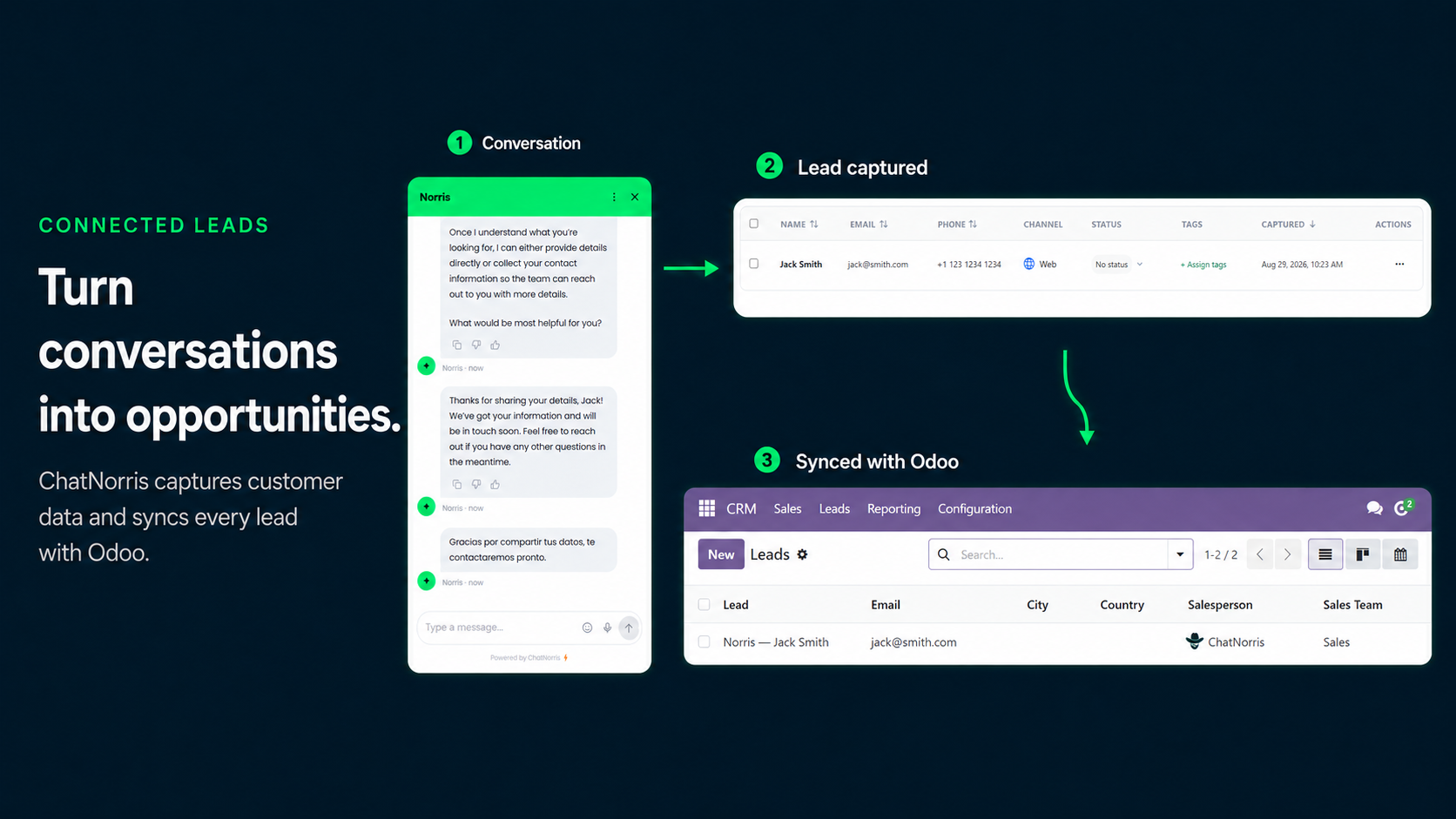
The moment a visitor confirms their contact details — in the web widget, on WhatsApp, on Instagram, or on Telegram — ChatNorris automatically creates the matching contact and opportunity in your Odoo CRM (res.partner + crm.lead). It doesn't matter which channel they came from: the lead shows up in your Odoo pipeline ready for your sales team to work, with no one having to go find it somewhere else.
Check order status without leaving the chat
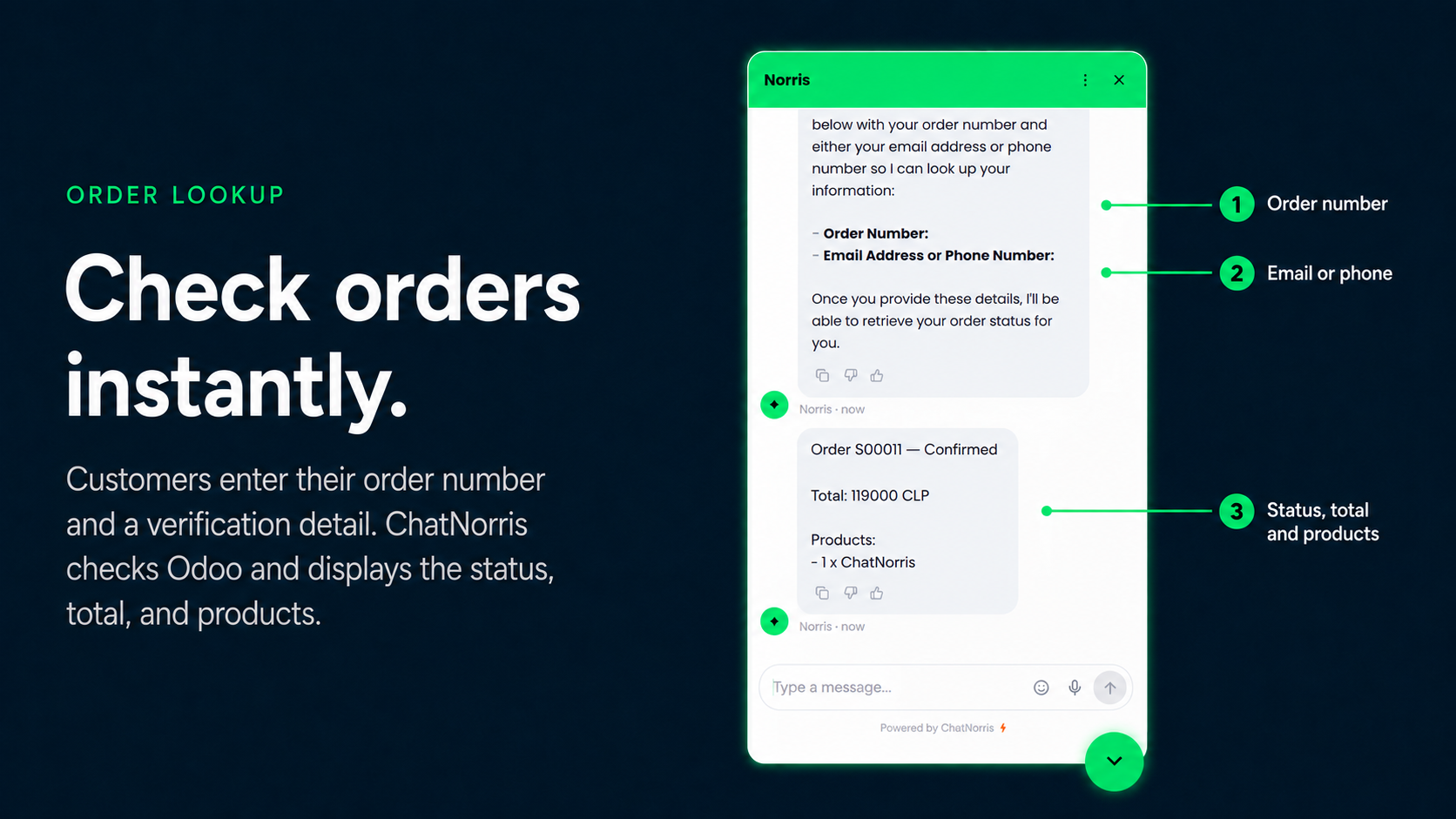
When a customer asks about their order, your agent can look it up directly against sale.order in your Odoo and reply with the real status — not a generic answer. In the web widget it shows up as a small form right inside the conversation; on WhatsApp, Instagram, or Telegram, the agent handles it conversationally. Either way, before showing any data the agent verifies that whoever's asking actually owns that order (against the email or phone on file in Odoo), so no one can pull up someone else's order by guessing numbers.
Create and check support tickets (Helpdesk)
If your Odoo has the Helpdesk module — either the official Enterprise one or the OCA community module (helpdesk_mgmt), ChatNorris supports both — your agent can open a ticket when the conversation genuinely calls for one, always asking for explicit confirmation before creating it. And if the customer comes back later asking "what's happening with my ticket?", the agent verifies their identity against the real ticket before saying anything — it never exposes a ticket's status to someone who can't prove it's theirs.
You control the criteria your agent uses to decide when a ticket is warranted (editable in the action's settings) and which Helpdesk team new tickets get assigned to.
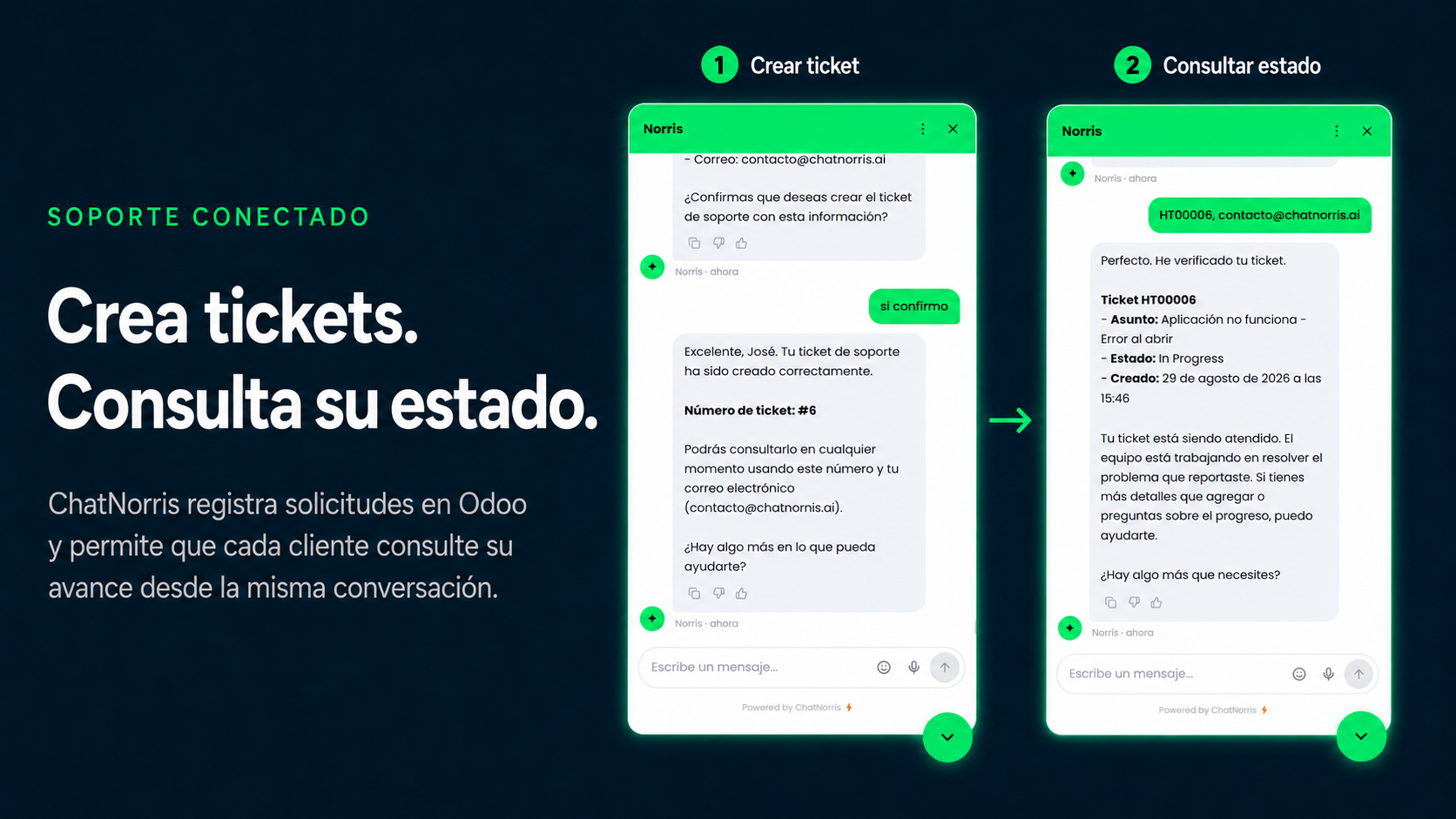
Available on the Premium plan
The Odoo integration — like the rest of our CRM and ERP connections — is available to organizations on the Premium plan. You can check the full plan breakdown on our pricing page.
Leads synced, orders looked up, tickets managed — all without leaving the chat. Set it up in minutes from the integrations hub.
Start for freeBottom line
ChatNorris no longer just answers questions from your knowledge base — it can now read and write directly into your Odoo, at the three points where it matters most: leads, orders, and support. If you're already running on Odoo and evaluating an AI agent for web, WhatsApp, or Instagram, this integration is the difference between "another chatbot that answers questions" and one that actually moves data inside your operation. You can check out the rest of our integrations or start for free to try it yourself.