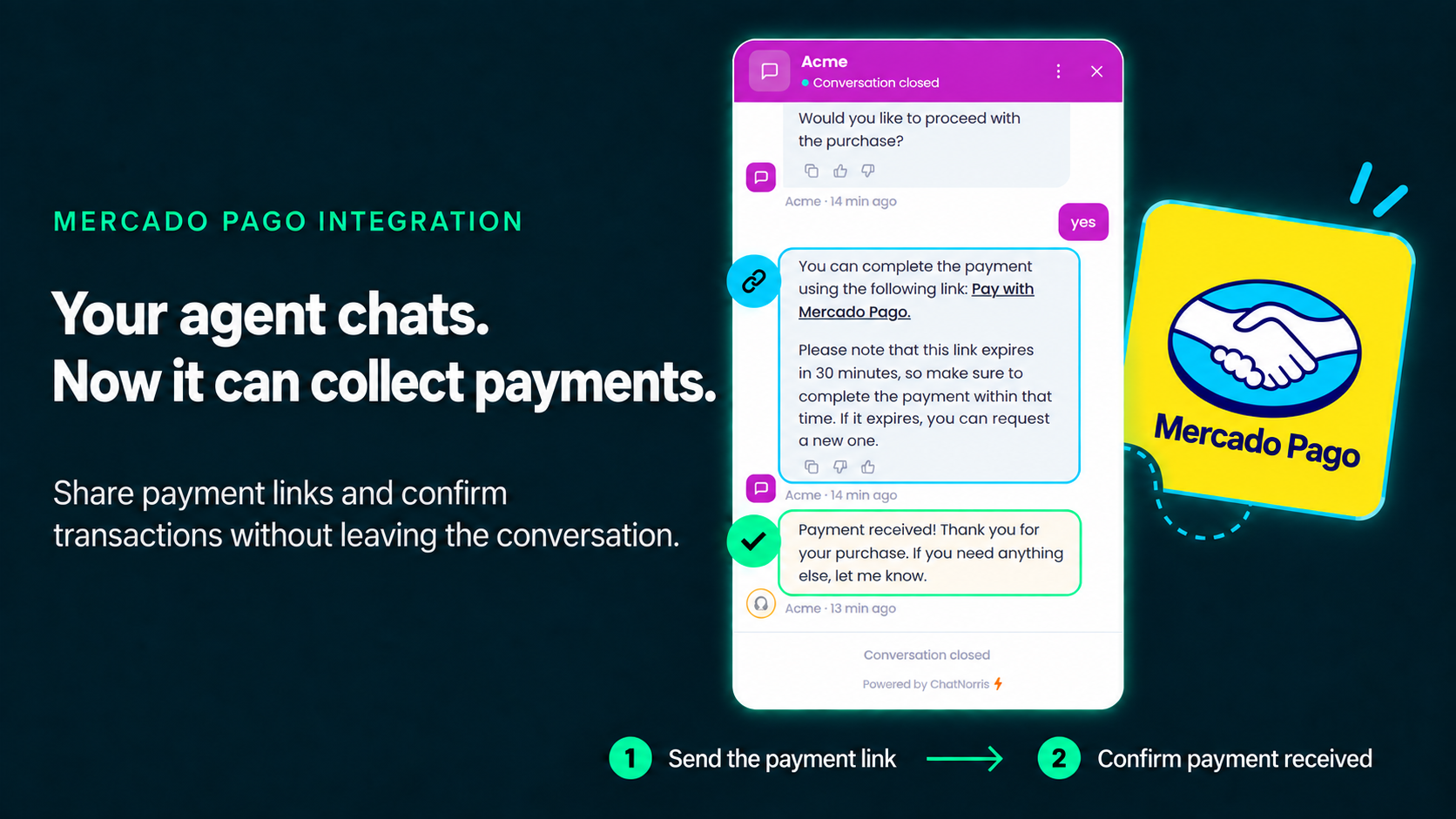
A few days ago we covered how your ChatNorris agent can charge right inside the chat with SumUp. Today we're adding a second provider to the Payment action: Mercado Pago, Latin America's largest payment platform. If your business operates in Argentina, Brazil, Mexico, Chile, Colombia, Peru, or Uruguay, chances are your customers already know and trust it — and now your agent can generate a real checkout link with it, without leaving the conversation.
The same clarification we make for any payment provider, since it's what we get asked about most: the payment is handled by Mercado Pago from start to finish. ChatNorris takes no part in the actual charge — it doesn't process the card, it never sees that data, and the money goes straight into your business's Mercado Pago account, never to us.
One integration, every country where Mercado Pago operates
This is the part we cared most about getting right: this isn't a per-country integration. Mercado Pago runs a single API host for the entire region — the country doesn't live in the URL ChatNorris connects to, it lives in each merchant's own account. That means whether your business is in Buenos Aires, São Paulo, Mexico City, Santiago, Bogotá, Lima, or Montevideo, the connection is exactly the same: you paste your Access Token and Public Key from your own Mercado Pago account, once, into your agent's Integrations hub.
On the other end, your customers see the payment experience they already know in their own country: credit and debit cards, installments, and whatever other methods Mercado Pago enables for your account and market — without you having to configure anything differently depending on where you sell.
From "checking the order" to "charging for it"
We've already covered how your agent can look up an order's status in Odoo or answer "where's my order?" without anyone on your team having to go find it. That solves half the problem — the other half is the sale that never closes because the customer asks for the price, says "yes, I want it," and the conversation stalls right there: someone has to generate a separate payment link, send it through another channel, and wait.
With the Payment action, that step disappears. You configure a catalog of products or services (name, price, currency) from the dashboard, and once the visitor confirms they want to buy, the agent generates the checkout link right there — in the web widget, on WhatsApp, on Instagram, or on whichever channel the conversation is happening.
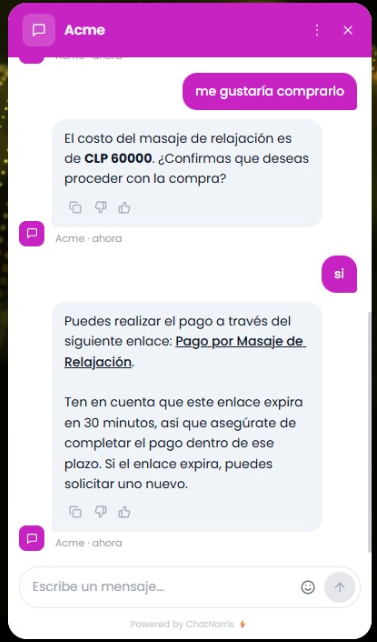
How it works, step by step
- The visitor asks about a product or service. The agent replies with the configured price — it never invents or calculates an amount, it always reads the exact value you loaded into the catalog.
- The agent asks for an explicit confirmation before generating any link — a clear "yes, I want to buy it," not an ambiguous reply. Creating a checkout is a step with real money attached, so it never fires just because the conversation "sounds like" the visitor agreed.
- The agent hands over the Mercado Pago payment link. That link expires after 30 minutes; if it expires, the visitor can simply ask for a new one.
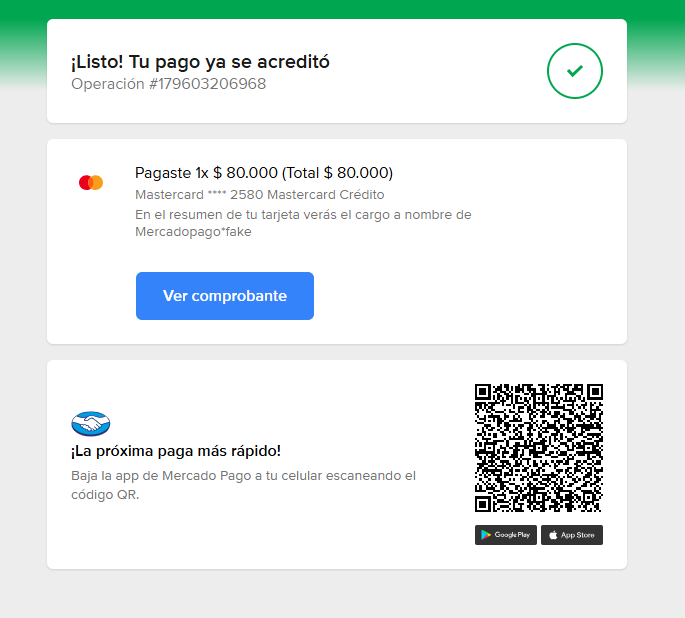
- The visitor pays on Mercado Pago's own page — entirely outside ChatNorris, with Mercado Pago's branding and security.
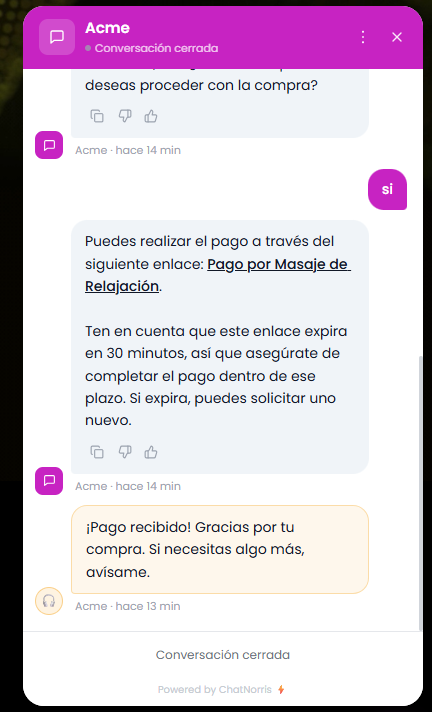
- The agent confirms the payment in the same conversation, as soon as Mercado Pago lets ChatNorris know the charge went through — no one has to refresh anything or ask "did the payment come in yet?"
Why Mercado Pago handles the payment, not ChatNorris
This isn't just a legal disclaimer — it's a deliberate design decision, the same one we already apply with SumUp. The payment link your agent delivers is a Mercado Pago Checkout Pro page: it opens on Mercado Pago's own domain, with Mercado Pago's own interface, and all handling of sensitive card data happens there — never in a form of ours, and never embedded in the chat.
In concrete terms:
- ChatNorris never sees or stores a card number, CVV, or any payment detail. The only thing we keep about a charge is its status (pending, paid, failed) and the amount — never card information.
- The money goes straight into your Mercado Pago account, not to ChatNorris. We're not a payment intermediary: we generate the link, nothing more.
- Security and payment compliance are handled entirely by Mercado Pago, which is exactly what its Checkout Pro page is designed for — keeping that off the merchant's own site or chat.
What you need to turn it on
- An active Mercado Pago account for your business, in any of the countries where it operates (you can create one directly at mercadopago.com if you don't have one yet).
- Your Mercado Pago Access Token and Public Key, which you paste once into your agent's Integrations hub.
- A configured catalog of items your agent can charge for (name, price, currency, optional description) inside the Payment action.
ChatNorris validates the connection against your real Mercado Pago account when you save it, so you know right away whether the Access Token and Public Key are correct before turning anything on.
Available on the Standard and Premium plans
Just like with SumUp, the Payment action with Mercado Pago is available starting on the Standard plan — it's not reserved for Premium. You can check the full breakdown on our pricing page.
Set up your catalog, connect your Mercado Pago account, and deliver payment links without leaving the chat — in minutes, from the Integrations hub.
Start for freeBottom line
Your ChatNorris agent could already handle support, look up orders, and charge with SumUp. Now it can also do it with Mercado Pago — the platform already used by millions of people across Argentina, Brazil, Mexico, Chile, Colombia, Peru, and Uruguay, with a single connection no matter which of those countries you sell in. You can browse the rest of our integrations or start for free to set it up on your own agent.