
Crisp is an appealing option for small teams that want website chat, email, and other channels in one shared inbox. It is quick to deploy, offers a free plan, and combines human support with automation without requiring a full enterprise suite.
But searches for Crisp alternatives tend to hide two different needs. Some teams want a more capable support inbox. Others want AI to move beyond assisting agents and start resolving questions with company knowledge. Decide which job matters before comparing feature lists.
What to evaluate
- Operating model: will people handle most conversations, or should AI respond first?
- Knowledge sources: are saved replies enough, or must the agent learn from your website, documents, and help center?
- Channels: is demand concentrated in web chat and email, or does it also come through WhatsApp and Instagram?
- Escalation: can AI hand a conversation to a person with the context intact?
- True cost: which AI capabilities are included and which require a separate plan or usage fee?
Five Crisp alternatives
1. ChatNorris — for one AI agent across multiple channels
ChatNorris is designed to train an agent once and use that knowledge on the web and, depending on the plan, WhatsApp, Instagram, Messenger, and Telegram. It learns from webpages, documents, and FAQs, and connects to WooCommerce or Zendesk through the integrations hub.
The platform includes a conversation inbox and human handoff, but the agent—not the inbox—is the center of the product. That matters when you want to automate a meaningful share of support without maintaining a separate bot for every channel.
- One knowledge base for web and messaging channels
- Training with your own content and human handoff
- WhatsApp connection through Meta's official onboarding flow
- Email management is not as complete as Crisp's
- Smaller integration catalog than more established platforms
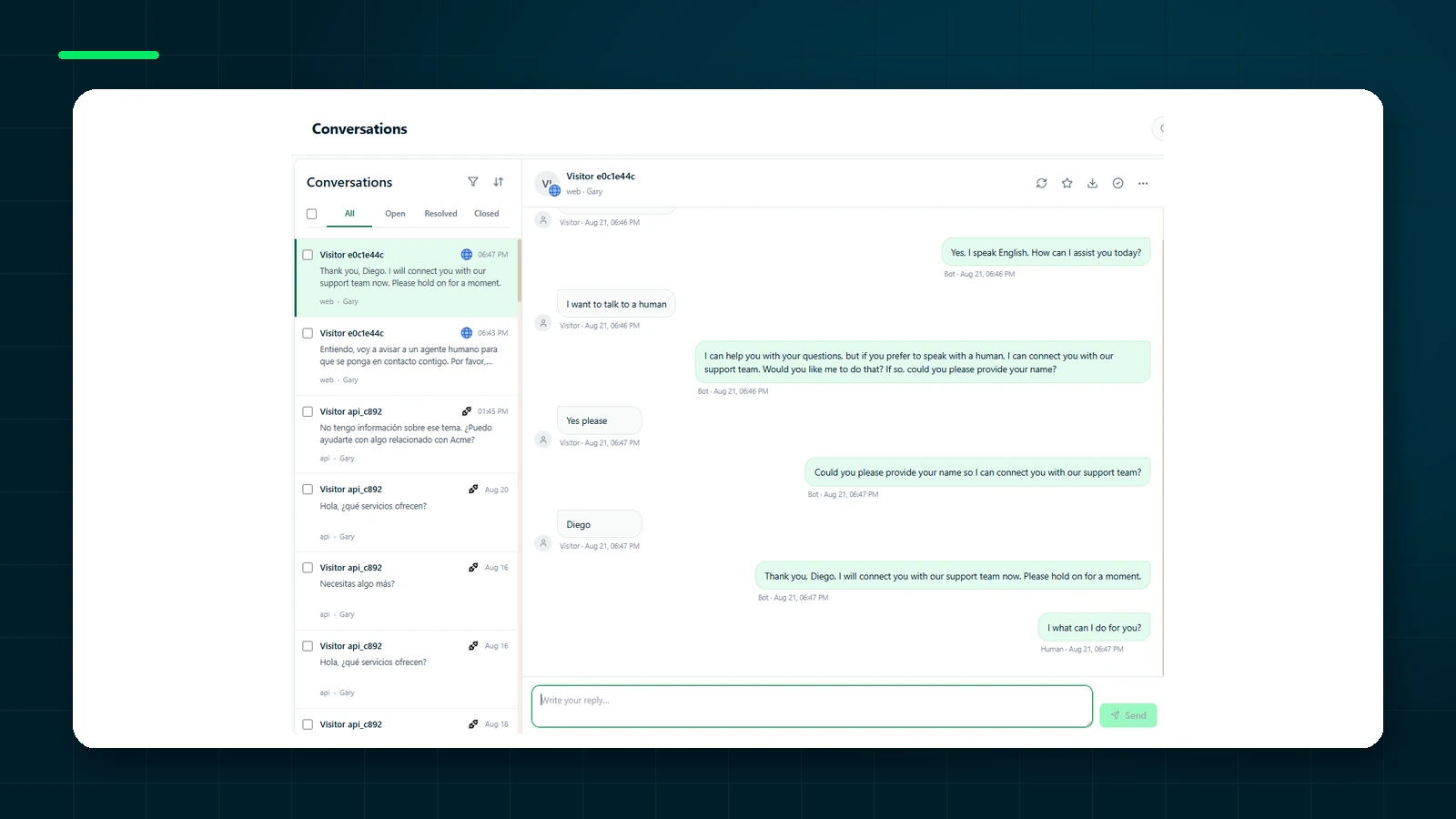
Best for: businesses receiving recurring questions through web and WhatsApp that want consistent AI answers.
Create an agent for free, test it with your knowledge base, and connect more channels when you need them.
Get started freeWhen a shared inbox is no longer enough
A shared inbox solves a coordination problem: it prevents duplicate replies, allows assignment, and keeps pending cases visible. For a small team, that order may be more valuable than any AI feature.
The limit appears when volume grows because of repeated questions. The inbox distributes the work but does not reduce how often someone checks a policy, searches a webpage, or writes a similar answer. Saved replies help, although an operator must still select the right one and adapt it to the context.
A knowledge-based agent changes the unit of work. Instead of helping the operator with a suggestion, it responds first and leaves ambiguous or sensitive cases to people. That transition requires quality measurement, trustworthy sources, and a designed handoff. It is not simply an AI switch inside the inbox.
Decide whether you need another inbox or another product category
Review one hundred recent conversations and classify them. If most require empathy, negotiation, or case-specific decisions, improving the inbox may create more value than automation. If questions are mainly about hours, features, policies, and procedures, a trained agent may reduce repetitive work.
Look at where conversations begin as well. Crisp makes sense when chat and email are central. If WhatsApp is becoming the dominant source of demand, maintaining another bot and inbox can fragment support. A platform that reuses knowledge across both channels may simplify operations even if its inbox has fewer features.
Finally, identify what must happen after the answer. If a case becomes a ticket, checks an order, or updates a CRM, integrations may matter more than isolated chatbot quality. The best tool completes the process rather than producing the most elegant demo response.
A practical migration plan
Start by exporting or documenting the saved replies, categories, tags, and assignment rules the team actually uses. Do not reproduce obsolete configuration. Turn recurring answers into documents or pages with an owner and a review date.
Train the alternative and test it against historical conversations. Evaluate accuracy, tone, and escalation decisions. Then enable the agent for a limited segment of traffic while keeping Crisp available to operators. Complete the migration only when the team can take over conversations, find history, and respond without depending on the old system.
2. Help Scout — for straightforward email support
Help Scout is a natural alternative when email is the primary channel. Its shared mailbox, conversation management, and knowledge base are built for support teams that want an orderly workflow without contact-center complexity.
Best for: teams handling most cases by email and looking for a traditional help desk experience.
3. Tidio — for live chat and ecommerce
Tidio combines human operators, automations, and its Lyro agent, with an established presence in Shopify and WooCommerce. It fits teams that want to engage visitors while they browse or buy. If Lyro's allowance makes budgeting difficult, see our guide to Tidio alternatives.
Best for: stores that need live chat, onsite automation, and quick ecommerce setup.
4. Intercom — for a more complex support operation
Intercom offers a broad suite spanning messaging, help center content, automation, routing, and analytics. Its Fin agent makes the most sense when a support team already has processes, metrics, and service levels. For an AI-focused comparison, read ChatNorris vs Intercom Fin.
Best for: companies with a mature customer-support operation that need more than a shared inbox.
5. Chatling — for an agent centered on the website
Chatling lets teams train agents on their own content, try different models, and build website-widget experiences. It is closer to ChatNorris in product category than traditional help desks are. The practical differences are channels, integrations, and WhatsApp operations, covered in ChatNorris vs Chatling.
Best for: teams whose primary channel remains the website and that value a broad model catalog and visual building tools.
Which one should you choose?
| If your priority is… | Consider |
|---|---|
| A simple chat and email inbox | Crisp |
| Email-first support | Help Scout |
| Live chat for an online store | Tidio |
| Advanced routing, processes, and analytics | Intercom |
| A trained agent for web and messaging | ChatNorris or Chatling |
Crisp remains a strong choice when people are at the center of support. If your priority has shifted toward autonomous, knowledge-based resolution, compare AI agents—not just shared inboxes.
Frequently asked questions
Can I use Crisp and ChatNorris together?
Yes—for example, Crisp for email and ChatNorris for web and WhatsApp. Before doing so, define which inbox the team monitors and how you will avoid fragmented histories.
Is an AI-suggested reply the same as an autonomous agent?
No. A suggestion accelerates an operator; an agent replies directly under defined sources and rules. Both are useful, but they create different savings, risks, and processes.
Should I migrate if Crisp already works?
No. Change only for a concrete need: more automation, different channels, stronger knowledge, or a different operating model. Migrating without a measurable objective usually changes tools without improving service.