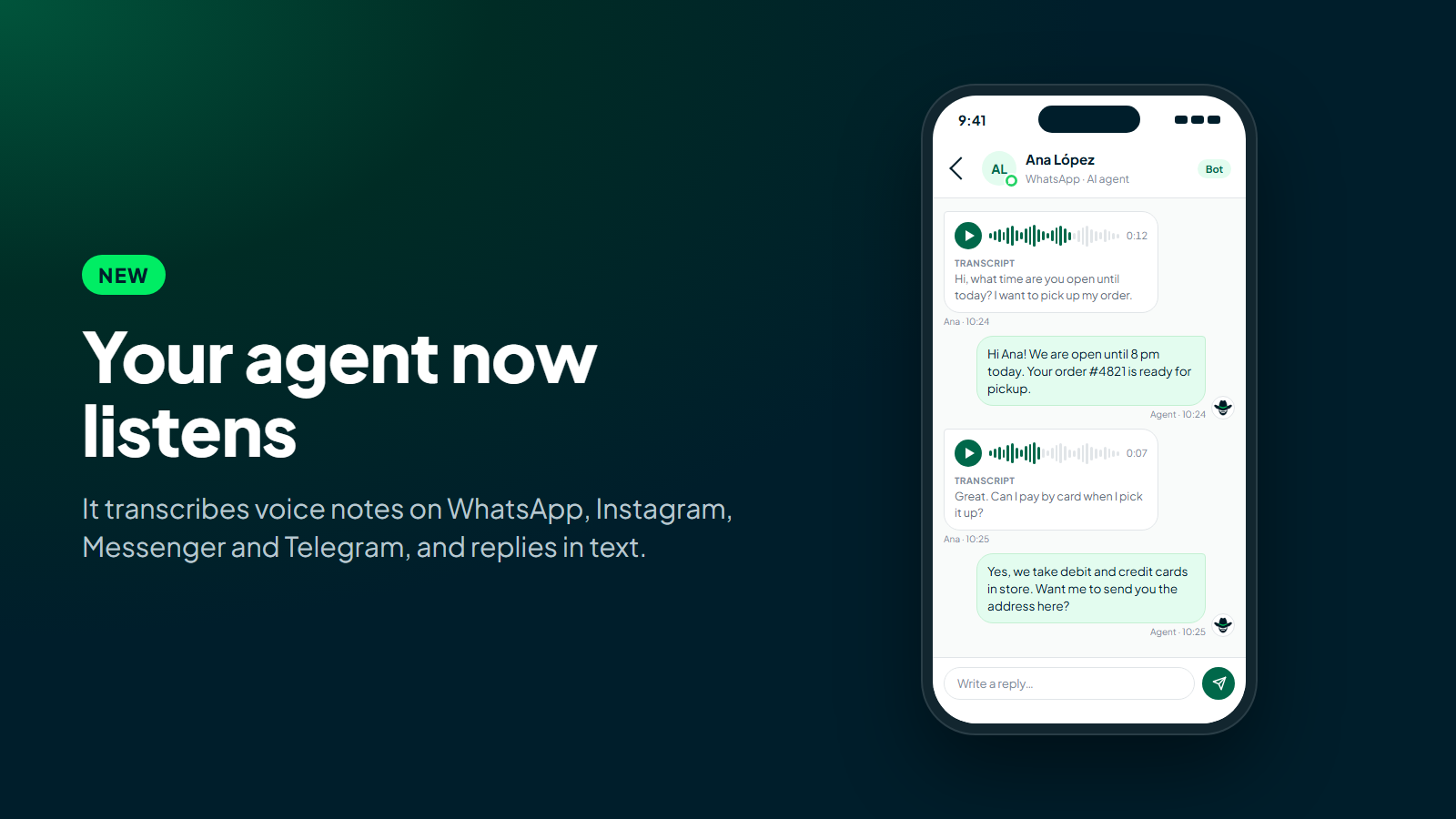
Some customers don't type. They send a voice note. They're driving, their hands are full, typing on a phone is hard for them, or it's simply faster to explain the problem out loud. On WhatsApp, Instagram, or Telegram, a voice note is as normal as a text message, and until now your agent couldn't do anything with one: someone on your team had to listen to it and reply by hand.
Starting today, your ChatNorris agent understands voice messages. The customer sends the audio, the agent transcribes it automatically and replies in text, as if the question had been typed.
How it works
There's nothing new to learn, for your customer or your team:
- The customer records a voice note on WhatsApp, Instagram, Messenger, or Telegram, the way they always do.
- The agent transcribes it and handles it like any other message: it looks for the answer in your knowledge base and can use the same actions you've already set up, such as the lead form or the handoff to a person.
- It replies in text, in the same conversation.
If the customer adds a caption to the audio, that caption is kept and the agent takes it into account along with the transcription.
Real cases where a voice note is the natural choice
- The customer in the car. They want to know if their order has shipped, but they can't type. They send a ten-second voice note and get a text reply to read once they've pulled over.
- The older customer who'd rather talk. Many customers are more comfortable explaining things out loud than typing on a small screen. Now they can, without the conversation stalling.
- The problem that takes a while to explain. "I bought something last week, the wrong part arrived, I already talked to someone but never heard back..." Writing all that out is tiring. In a voice note it takes a minute, and the agent understands the whole thing.
- The quick question while walking. "What time do you close today?" or "Do you have parking?" are questions people ask in passing. The agent answers them with the information in your knowledge base, just as if they had been typed.
Your team sees the audio and what it says
In Conversations and in the mobile inbox, the voice note shows up as a player, with the transcription in small text underneath, like on WhatsApp. You can listen to it if you want, or read it at a glance without reaching for your headphones.
And if someone on your team is already handling the conversation, the audio is transcribed too. The operator doesn't have to listen to every voice note to know what's being asked: they read it and reply.
What it costs and what the limits are
Transcription uses AI credits, just like the rest of the agent's replies. It's charged by duration, in 30-second blocks, and you can see the per-minute cost under Billing and usage. With today's default model (1.5 credits per minute), a 20-second voice note uses 1 credit, a 50-second one 1.5 and a 3-minute one 4.5.
- Voice notes up to 3 minutes long are transcribed. If the customer sends a longer one, the agent politely asks them to summarize their request in writing or send a shorter voice note.
- If the audio can't be understood or transcribed (heavy background noise, silence, a corrupted file), the agent asks the customer to type their message.
- It's available on every plan, on the channels your plan includes: Telegram from Free; WhatsApp, Instagram, and Messenger from Standard.
What it doesn't do yet
So there are no surprises:
- The agent replies in text, not audio. Replying with voice notes will come later.
- It doesn't clone voices. ChatNorris doesn't offer imitating anyone's voice.
- It doesn't answer phone calls. This is for voice messages inside chats, not calls.
Nothing changes in your website widget: visitors could already dictate to the agent with their microphone there, and the browser turns what they say into text before sending it.
Privacy
Voice notes are stored with the conversation, just like text messages, and are transcribed with an AI model only so the agent can reply. ChatNorris doesn't use voice to identify people or to clone it.
As the party responsible for the support, your business must let its customers know that voice messages are recorded and transcribed with AI, for example in its privacy policy or in the channel's welcome message. You can see how we handle data in our Data Processing Agreement and Privacy Policy.
Connect WhatsApp, Instagram, Messenger, or Telegram and your agent starts understanding voice notes from the very first message, with no extra setup.
Start for freeBottom line
Your ChatNorris agent already read what customers typed and understood photos and PDF documents. Now it also understands the voice notes they send on WhatsApp, Instagram, Messenger, and Telegram: it transcribes them, replies in text, and leaves the audio with its transcription in view for your team. You can check out the rest of our features on Integrations or start for free to try it on your own agent.